
外观
Flux-ComfyUI 容器镜像
Flux是由黑森林实验室(Black Forest Labs)开发的一款AI绘画模型,它可以通过输入文本描述来生成高质量的图像。 ComfyUI是一个基于Web的交互式工作流环境,可以在WebUI上编辑工作流,完成文生图、图生图等任务。
Flux-ComfyUI 镜像内置了多个基于各种Flux模型的工作流。
ComfyUI使用文档:ComfyUI
当前支持的版本
| Flux-ComfyUI版本 | Ubuntu版本 | CUDA版本 | Python版本 |
|---|---|---|---|
| 1-0.11.0 | 22.04 | 12.8 | 3.12 |
| 2-0.11.0 | 22.04 | 12.8 | 3.12 |
当前支持的版本会随着Flux和ComfyUI版本的更新而更新。
Flux2 内置工作流介绍
Flux2 标准工作流官方
根据提示词修改图片
使用步骤
上传图片,输入提示词,点击运行。
运行效果
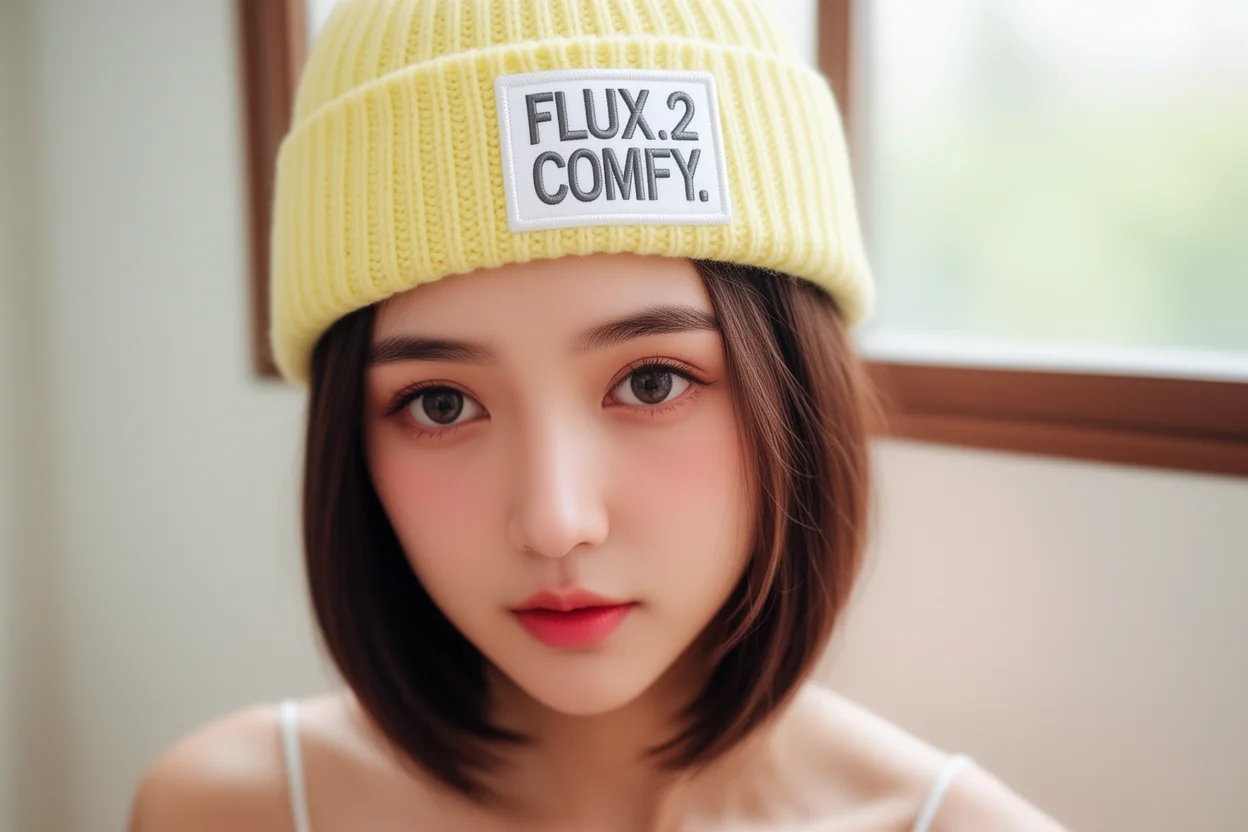
提示词:
The woman is wearing a small pale yellow knitted beanie, with a white fabric patch on the front right, embroidered with big gray text “FLUX.2 COMFY.” Keep the face
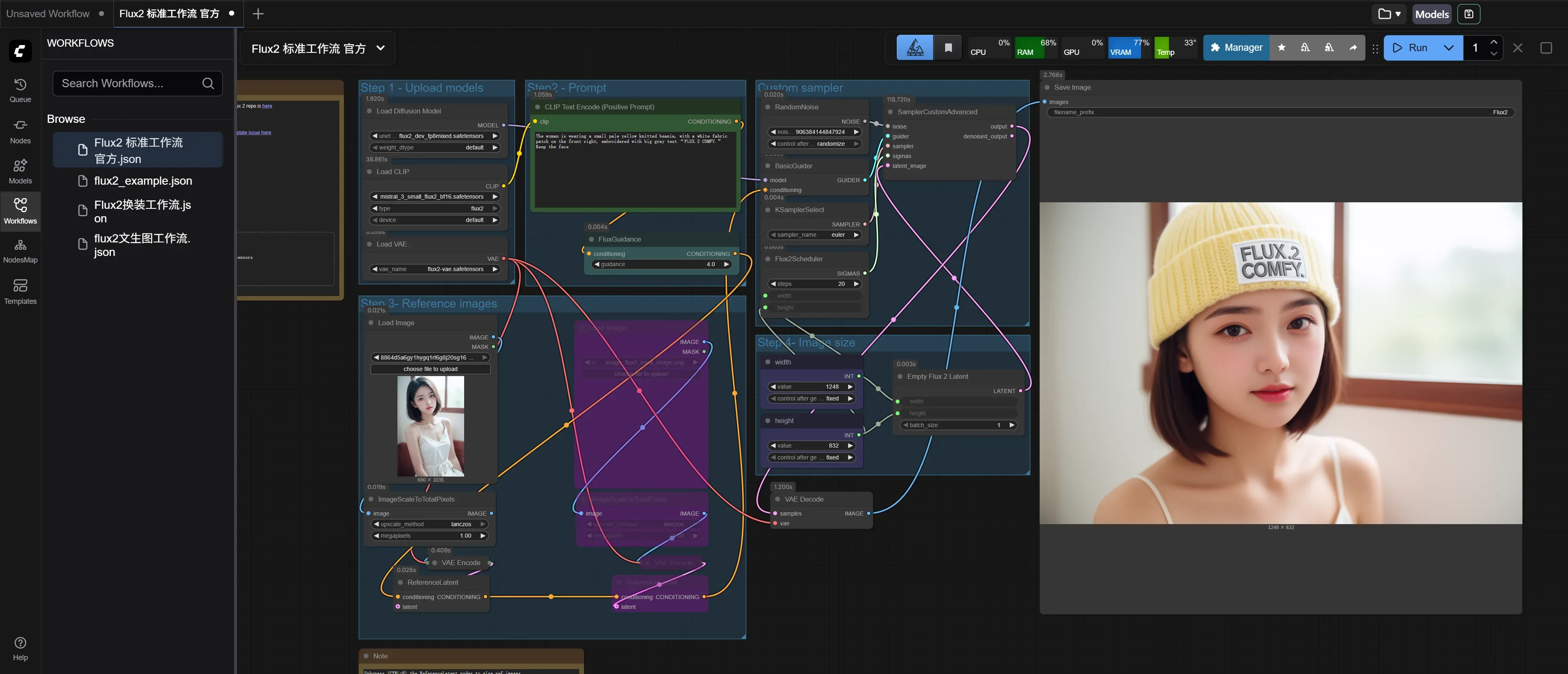
结果图:
flux2_example
根据提示词生成图片
使用步骤
输入提示词,点击运行
运行效果
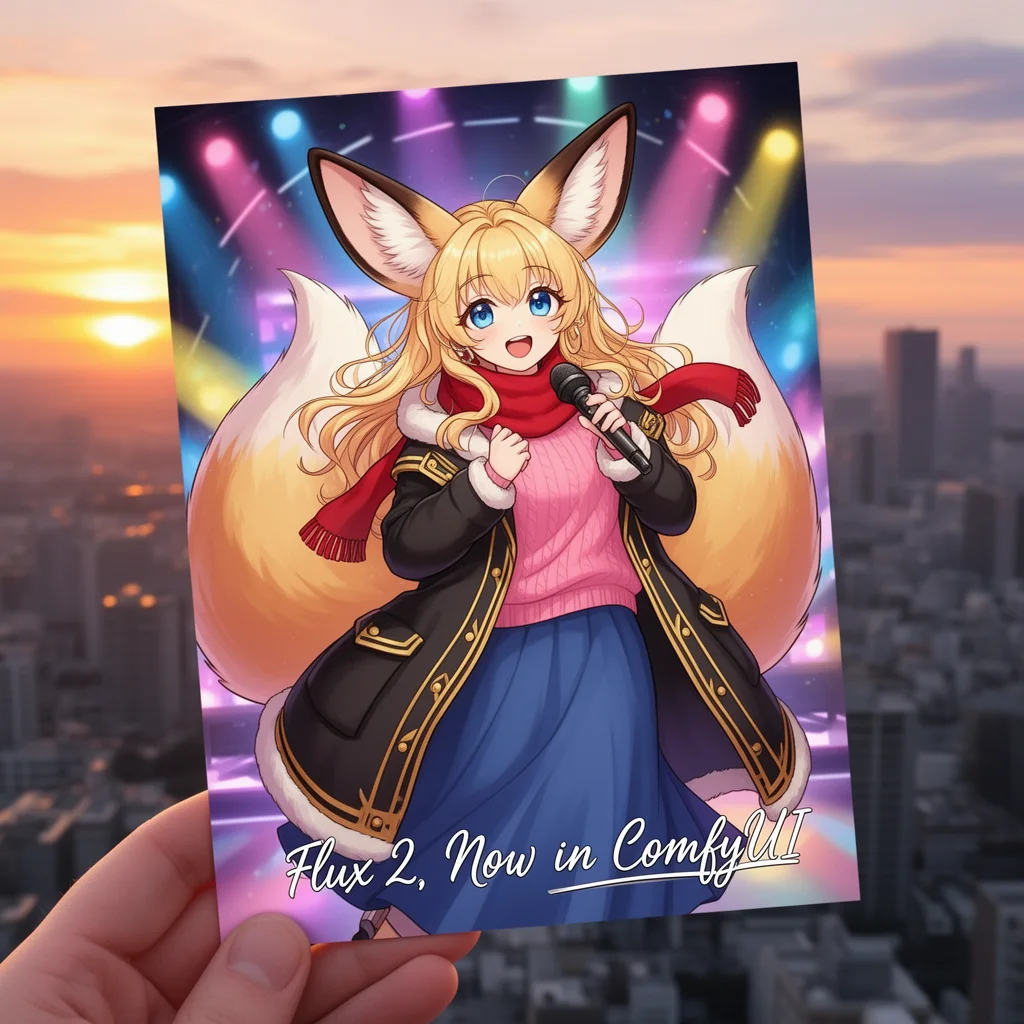
提示词:
cute anime girl with gigantic fennec ears and a big fluffy fox tail with long wavy blonde hair and large blue eyes blonde colored eyelashes wearing a pink sweater a large oversized gold trimmed black winter coat and a long blue maxi skirt and a red scarf, she is happy while singing on stage like an idol while holding a microphone, there are colorful lights, it is a postcard held by a hand in front of a beautiful city at sunset and there is cursive writing that says "Flux 2, Now in ComfyUI"
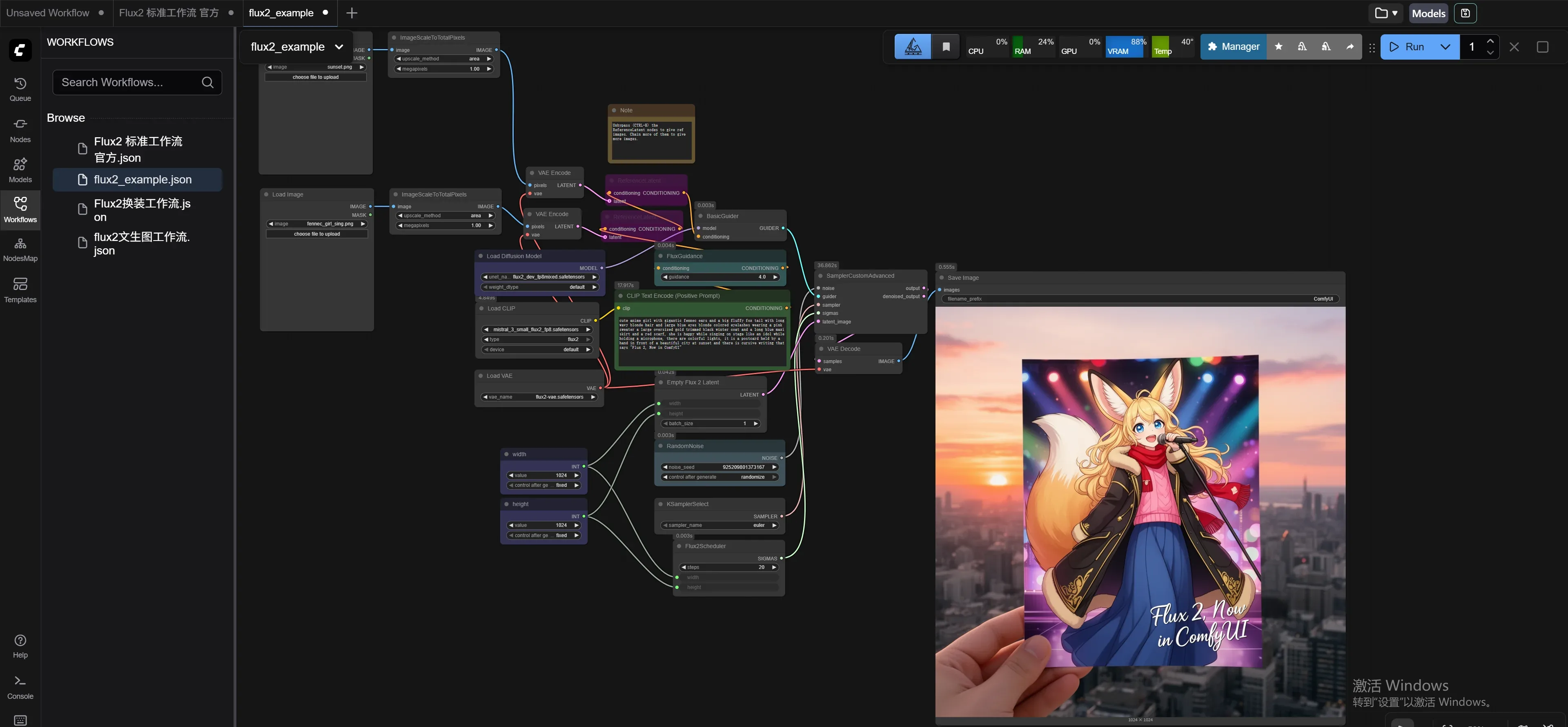
结果图:
Flux2换装工作流
可以通过提示词给人物换装
使用步骤
上传人物照片和服装照片,输入提示词,点击运行。
运行效果
提示词:
replace the skirt of image 1 using image 2
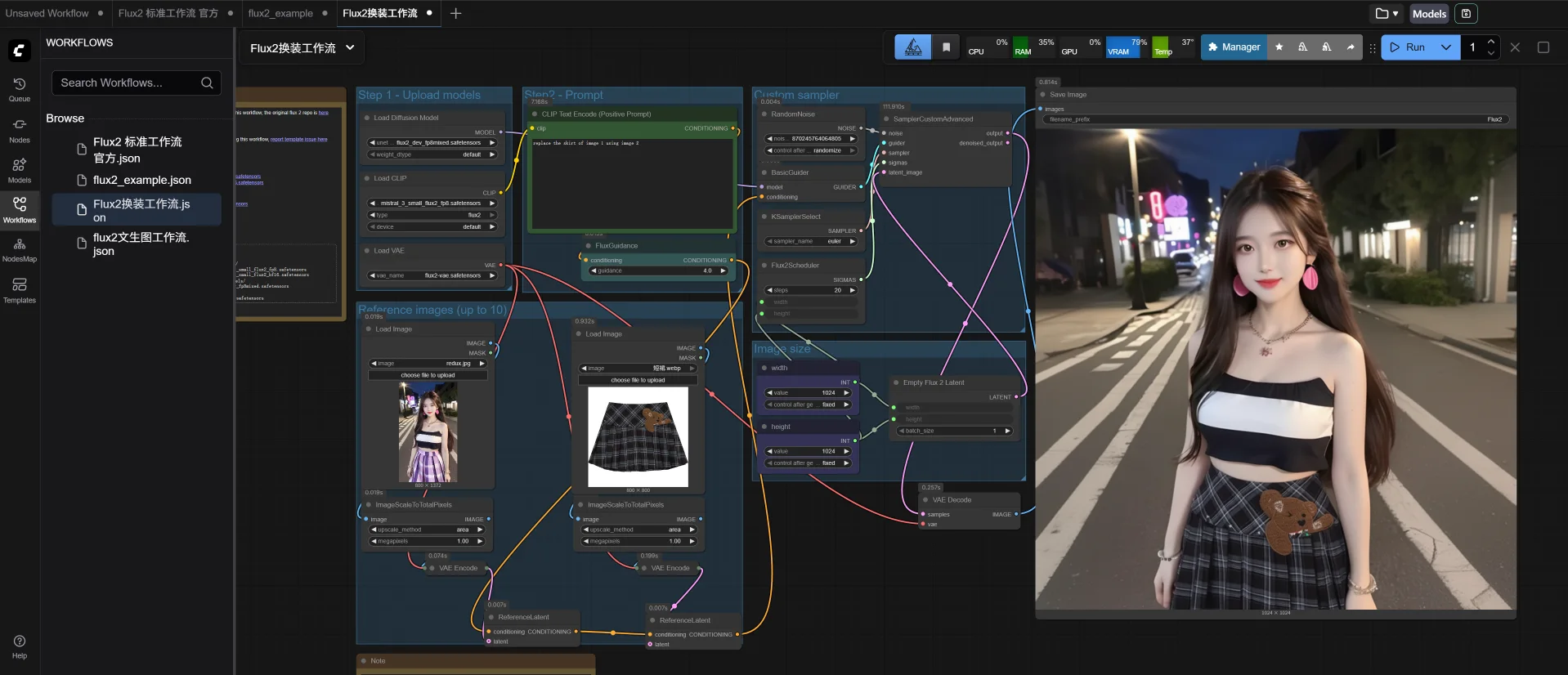
结果图:

flux2文生图工作流
通过提示词生成图片
使用步骤
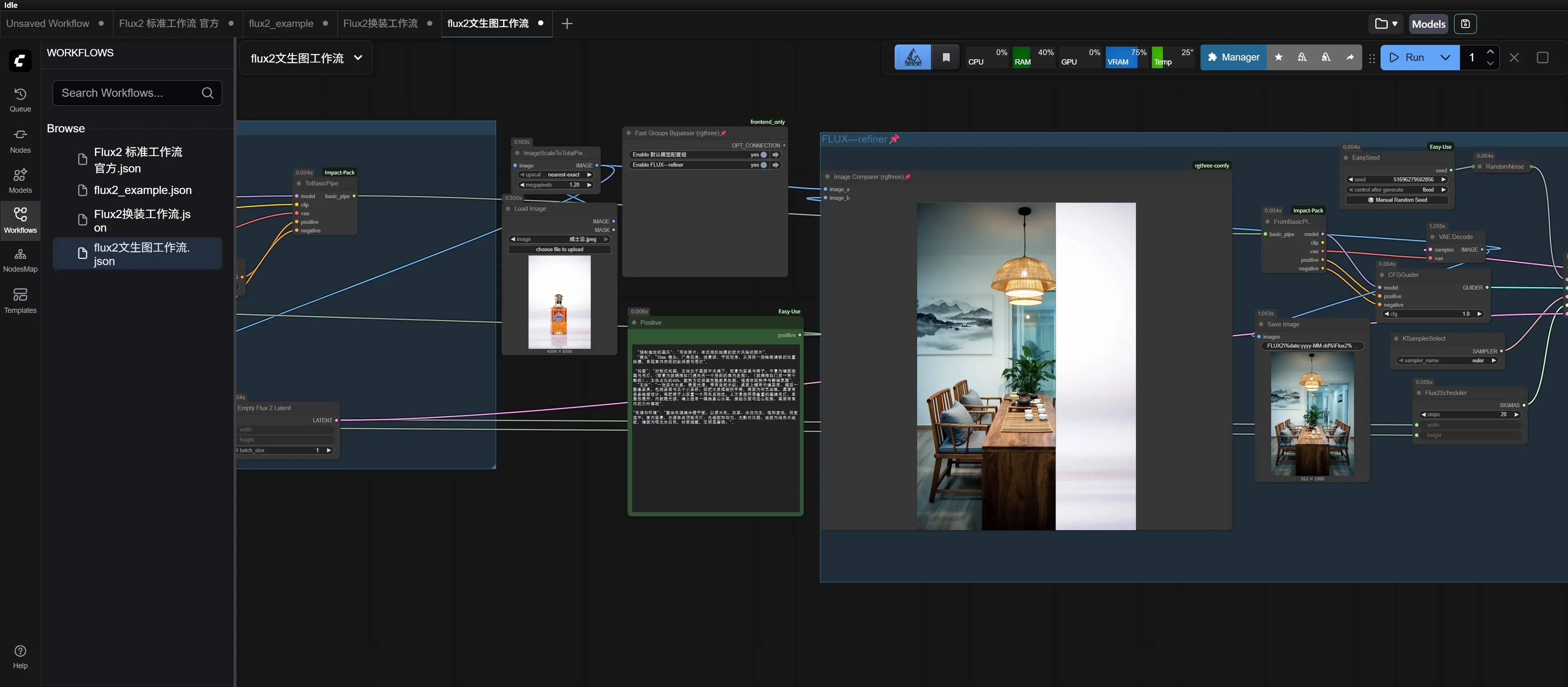
任意上传一张图片,输入提示词,点击运行。
运行效果
提示词:
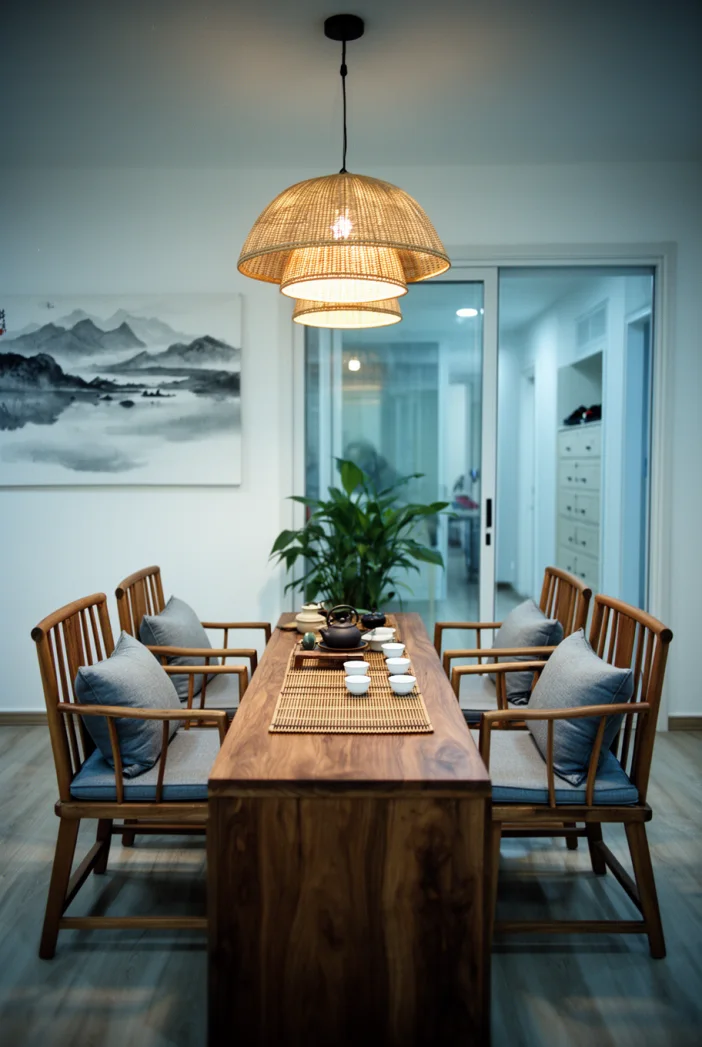
"强制指定的画风": "写实照片,单反相机拍摄的胶片风格的照片", "镜头": "35mm 镜头,广角视角,浅景深,平视视角,从房间一侧略微偏移的位置拍摄,呈现室内空间的纵深感与层次",
"构图": "对称式构图,主体位于画面中央偏下,前景为茶桌与椅子,中景为墙面挂画与吊灯,(背景为玻璃推拉门通向另一个房间的室内走廊),(玻璃推拉门后一有个鞋柜),主体占比约40%,裁剪方式保留完整家具轮廓,强调空间秩序与静谧氛围", "主体": "一张实木长桌,表面光滑,带有自然木纹,桌面上铺有竹编茶席,摆放一整套茶具,包括茶壶与五个小茶杯;四把木质框架扶手椅,椅面为布艺坐垫,靠背有竖条格栅设计,每把椅子上放置一个同色系抱枕;上方悬挂两层叠置的藤编吊灯,呈扇形展开,内嵌暖光源;墙上挂有一幅抽象山水画,描绘水面与远山轮廓,画面有室内的大叶植物",
"色调与环境": "整体色调偏冷暖平衡,以原木色、灰蓝、米白为主,饱和度低,明度适中;室内场景,光源来自顶部吊灯,光线柔和均匀,光影对比弱;地板为浅色木地板,墙面为哑光米白色,材质细腻,无明显磨损;",
结果图:
Flux1 内置工作流介绍
001.Flux_Fill_Basic_Workflow-Outpaint
基于flux1-fill-dev模型,可实现扩图。
在Load Image节点上传一张照片,Prompt中输入提示词,运行。
运行效果: 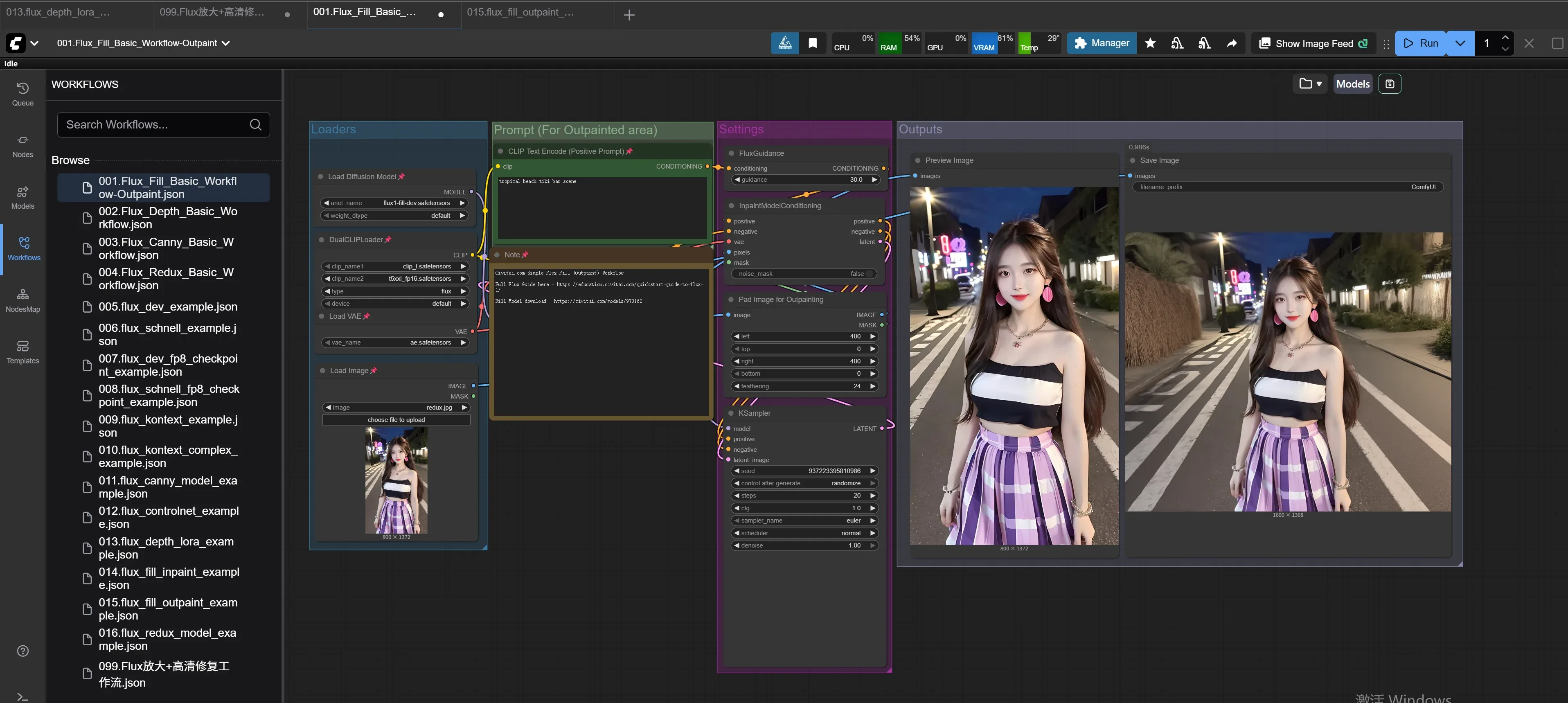
002.FLUX万物迁移工作流-全自动流程
基于flux1-fill-dev模型,实现物品迁移
在第1个Load Image节点上传待迁移照片,在第2个Load Image节点上传目标场景照片,对目标场景图片编辑遮罩,运行。
运行效果: 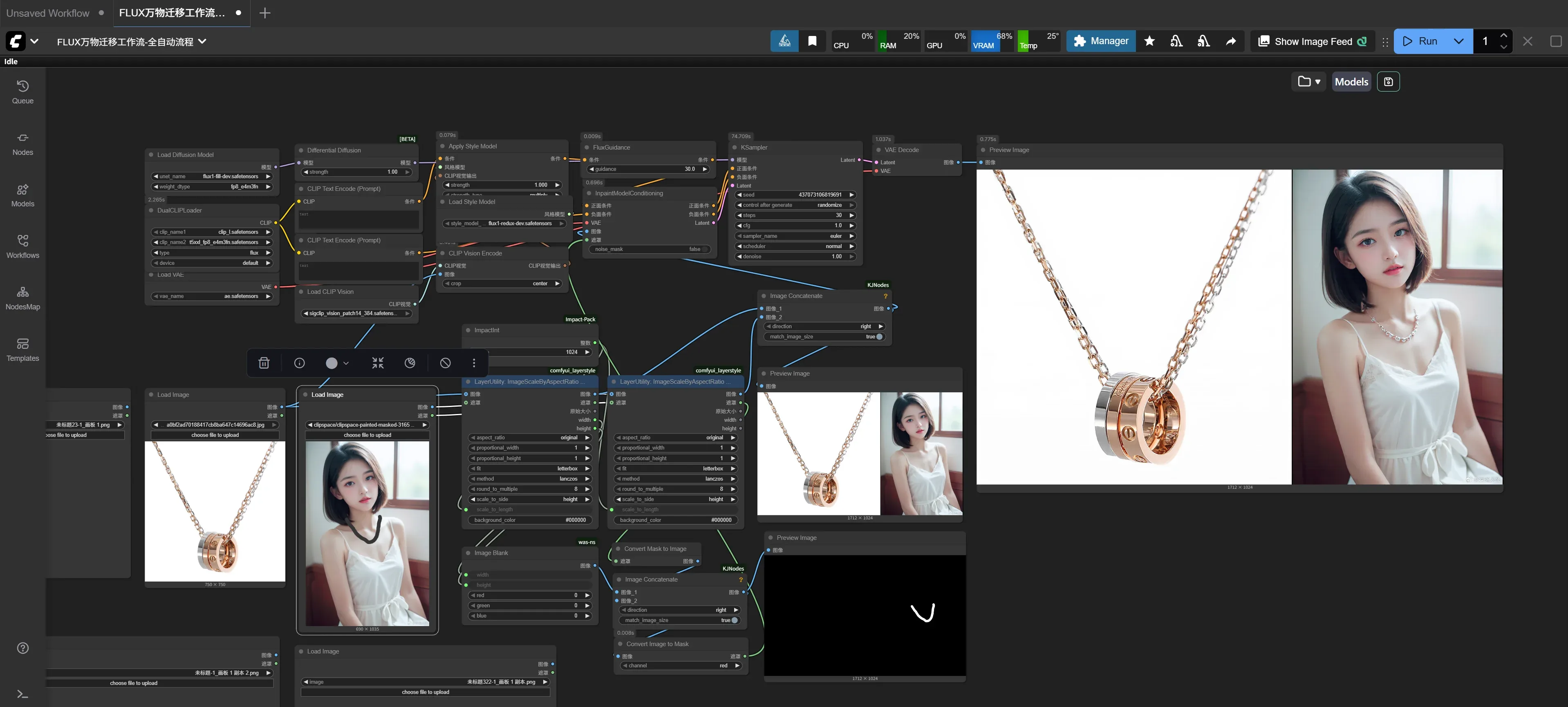
003.Flux_Canny_Basic_Workflow
在Load Image节点上传一张照片,Prompt中输入提示词,运行。
运行效果: 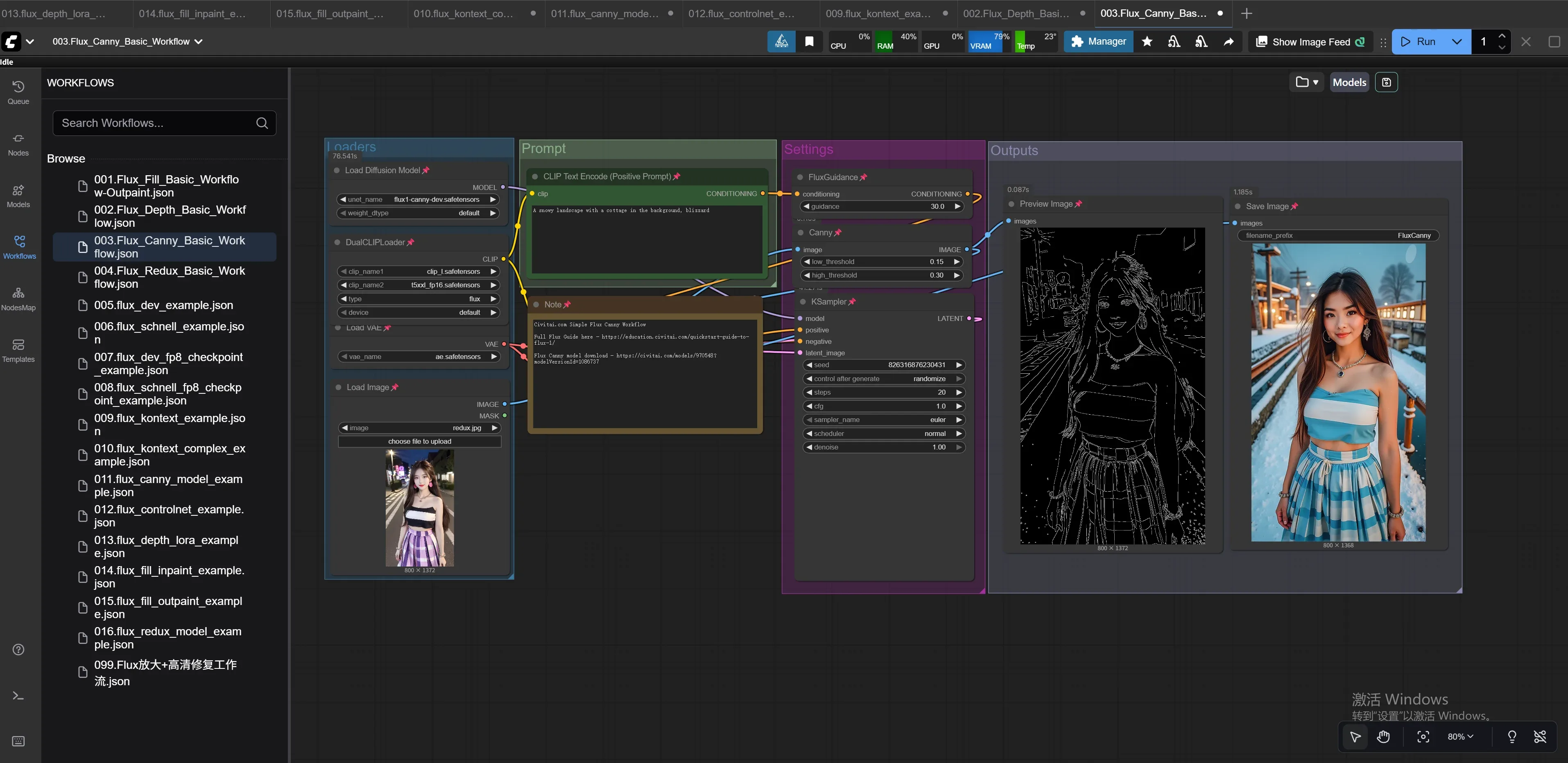
004.Flux_Redux_Basic_Workflow
在Load Image节点上传一张照片,Prompt中输入提示词,运行。
运行效果: 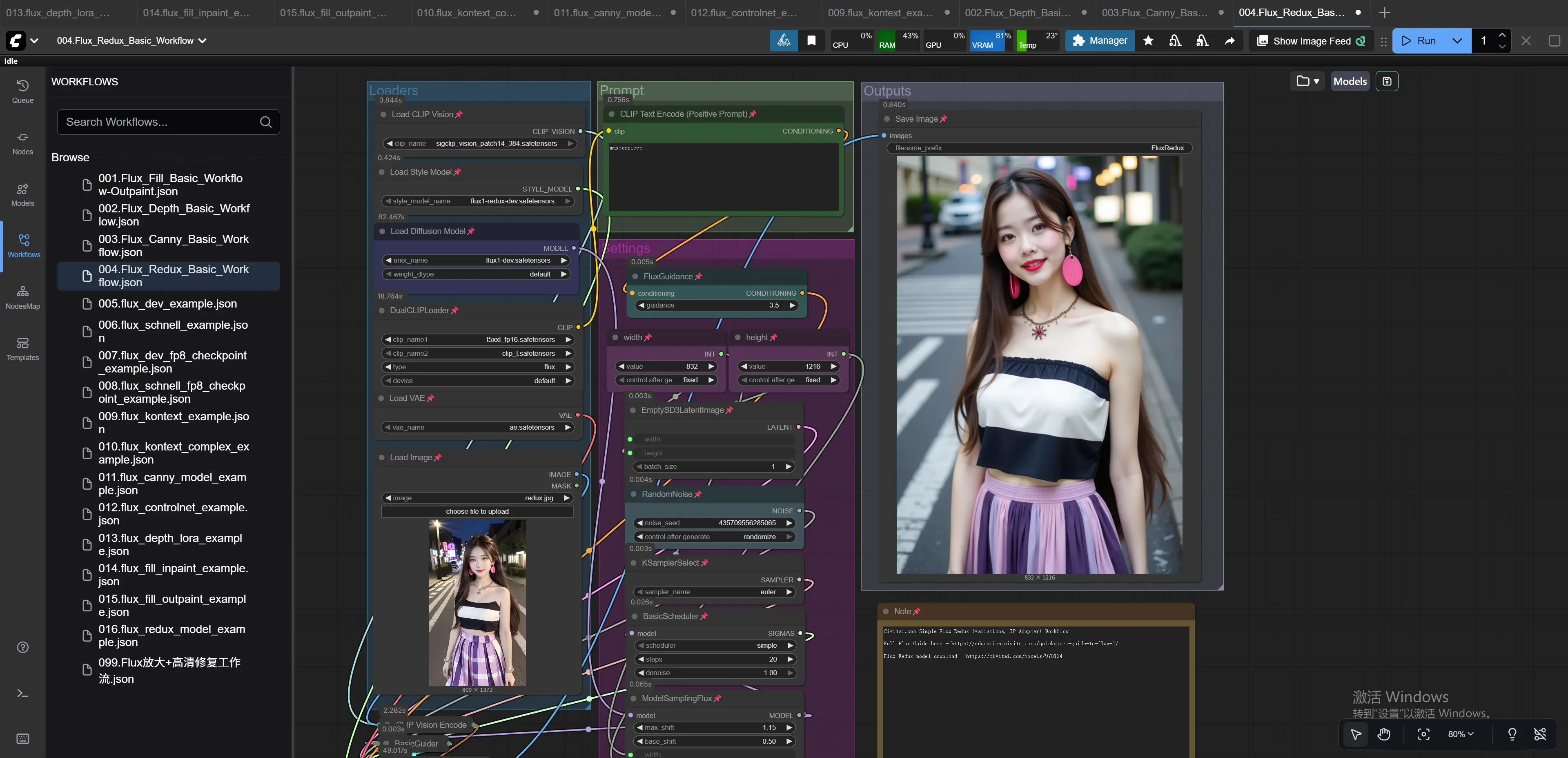
005.flux_dev_example
Prompt中输入提示词,运行。
运行效果: 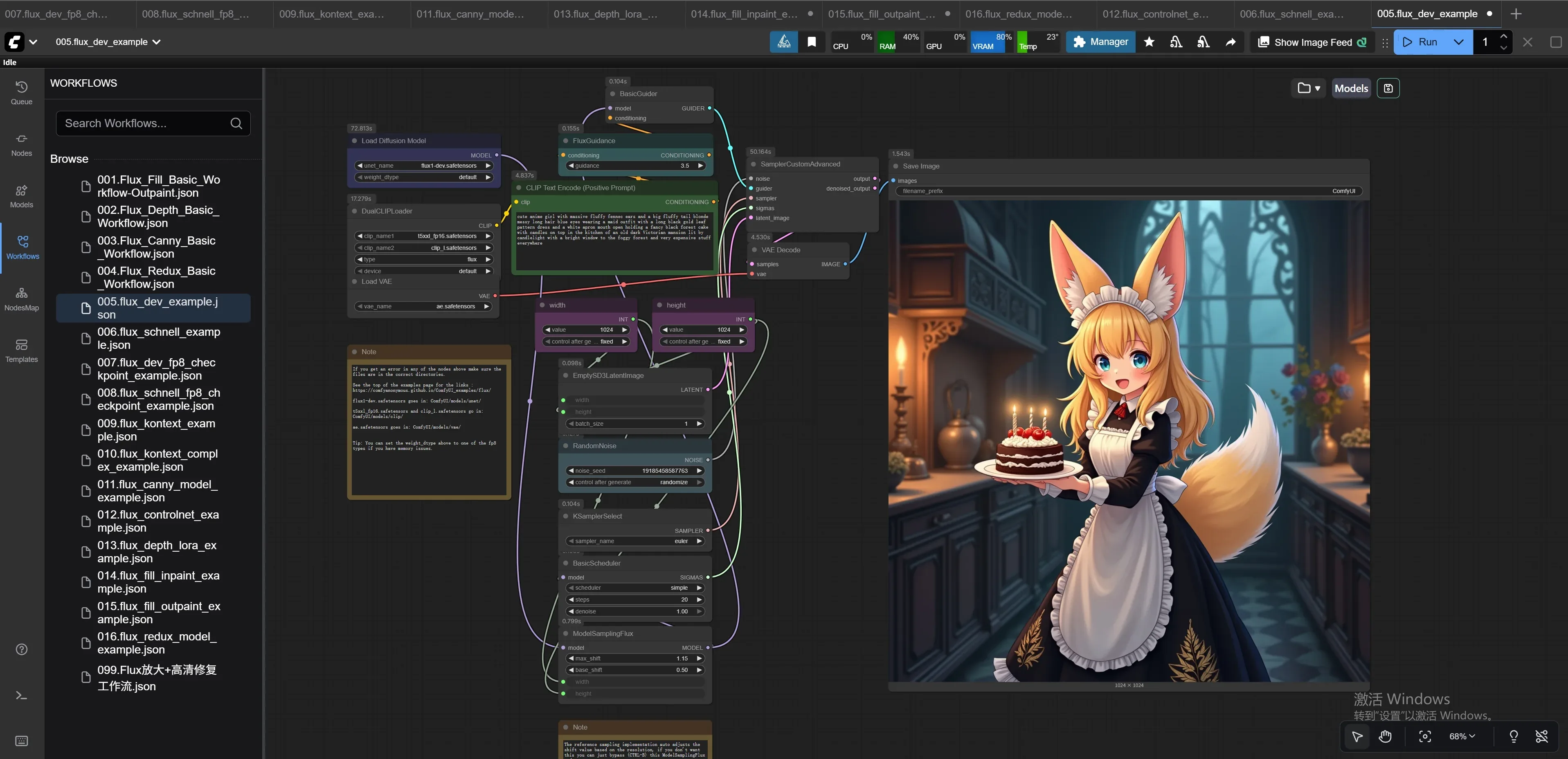
006.flux_schnell_example
Prompt中输入提示词,运行。
运行效果: 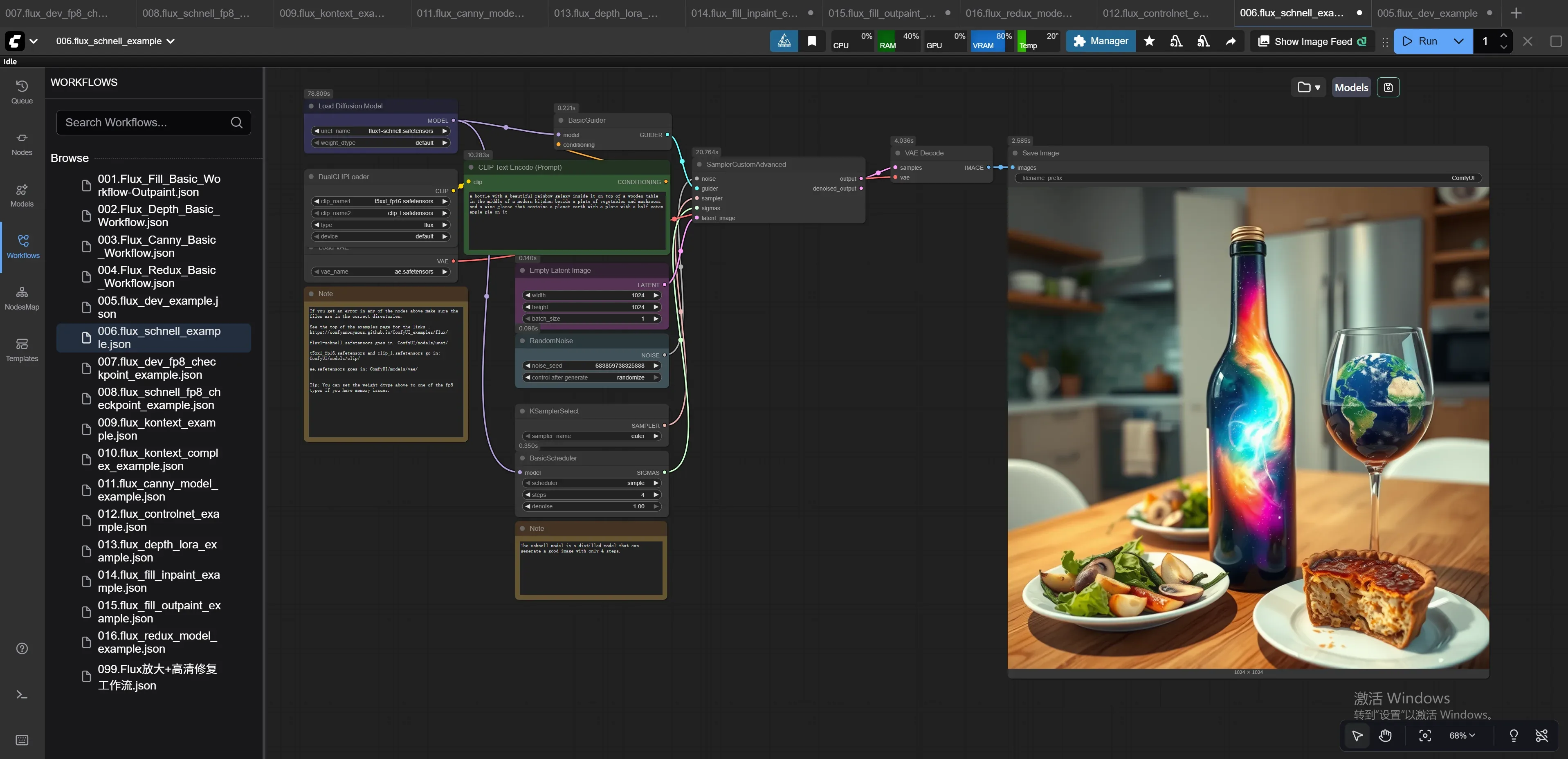
007.flux_dev_fp8_checkpoint_example
Prompt中输入提示词,运行。
运行效果: 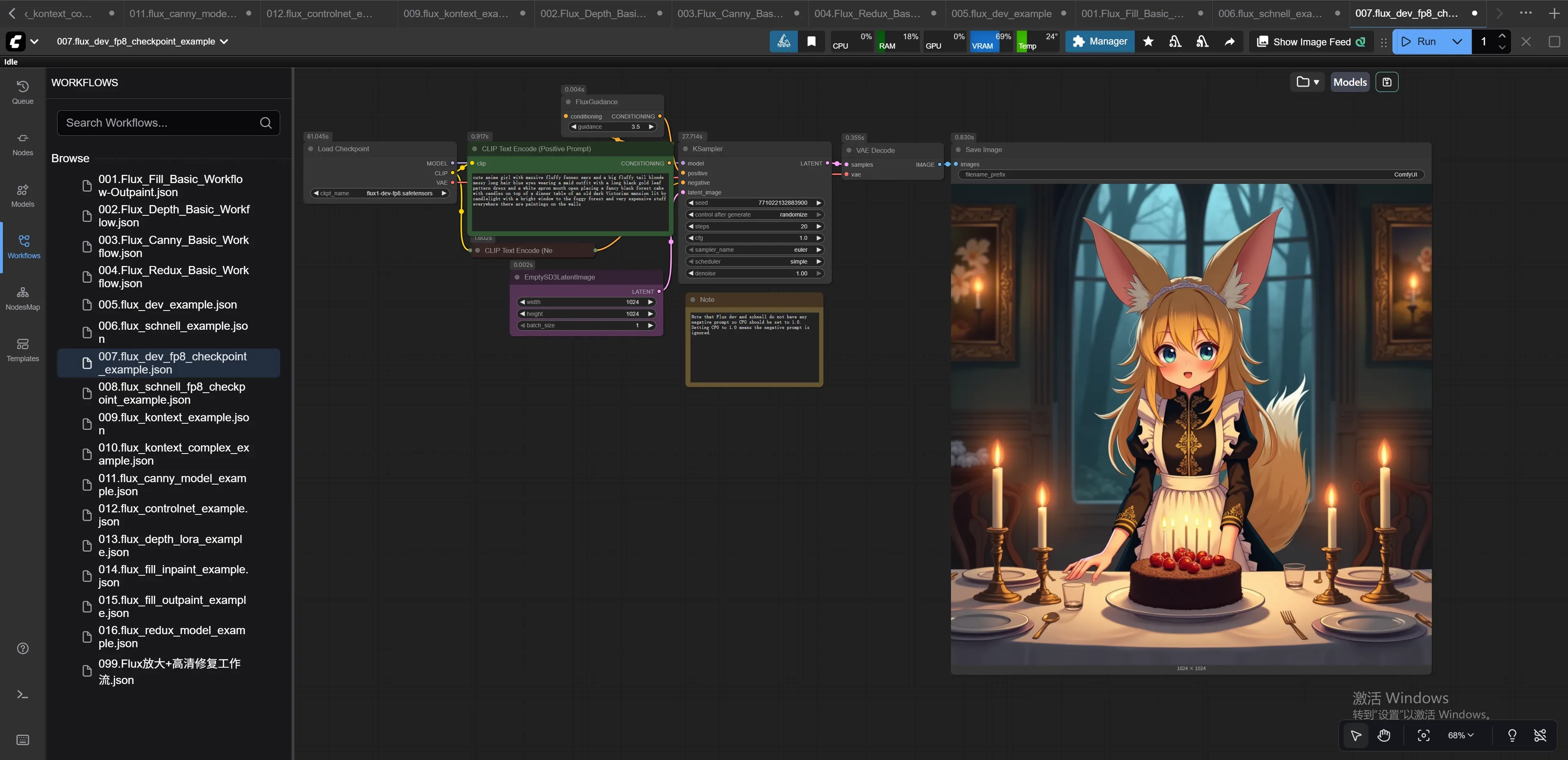
008.flux_schnell_fp8_checkpoint_example
Prompt中输入提示词,运行。
运行效果: 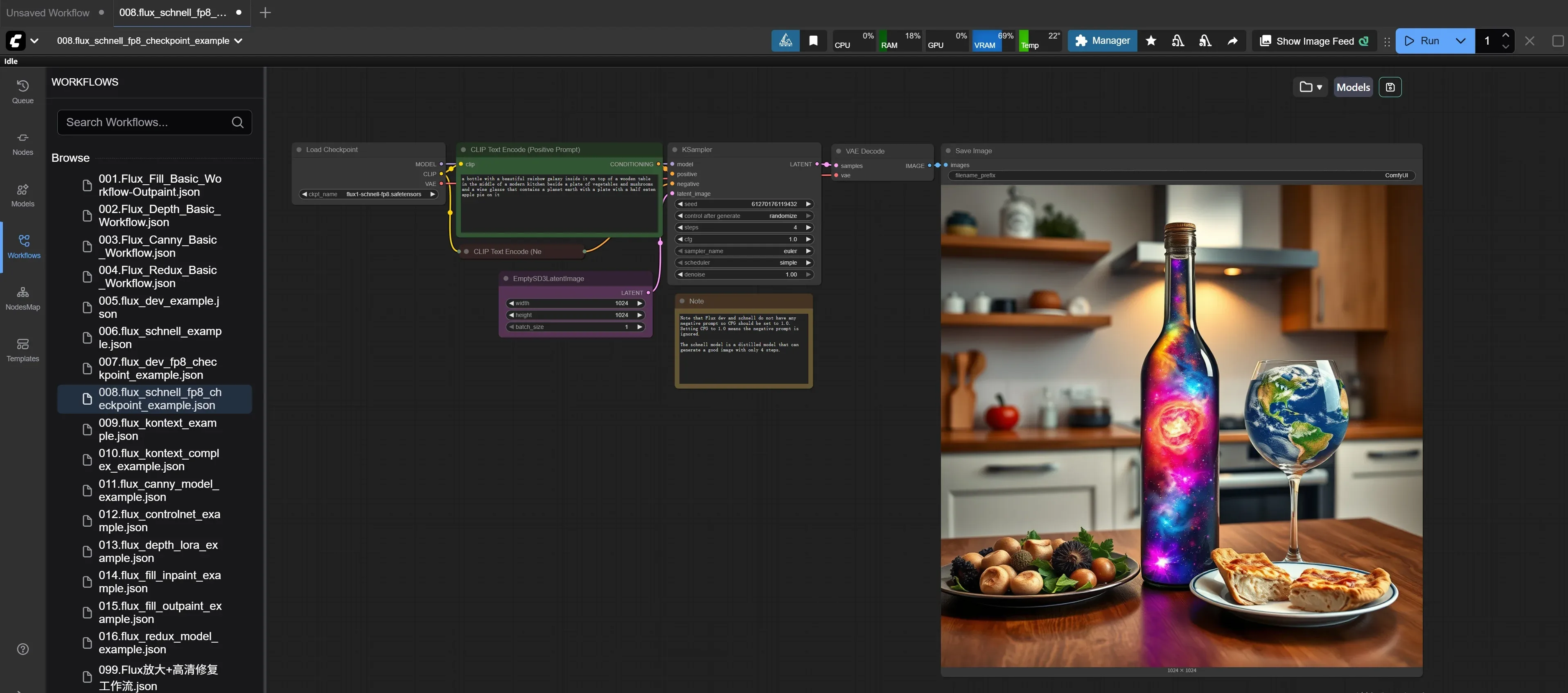
009.flux_kontext_example
在Load Image节点上传一张照片,Prompt中输入提示词,运行。
运行效果: 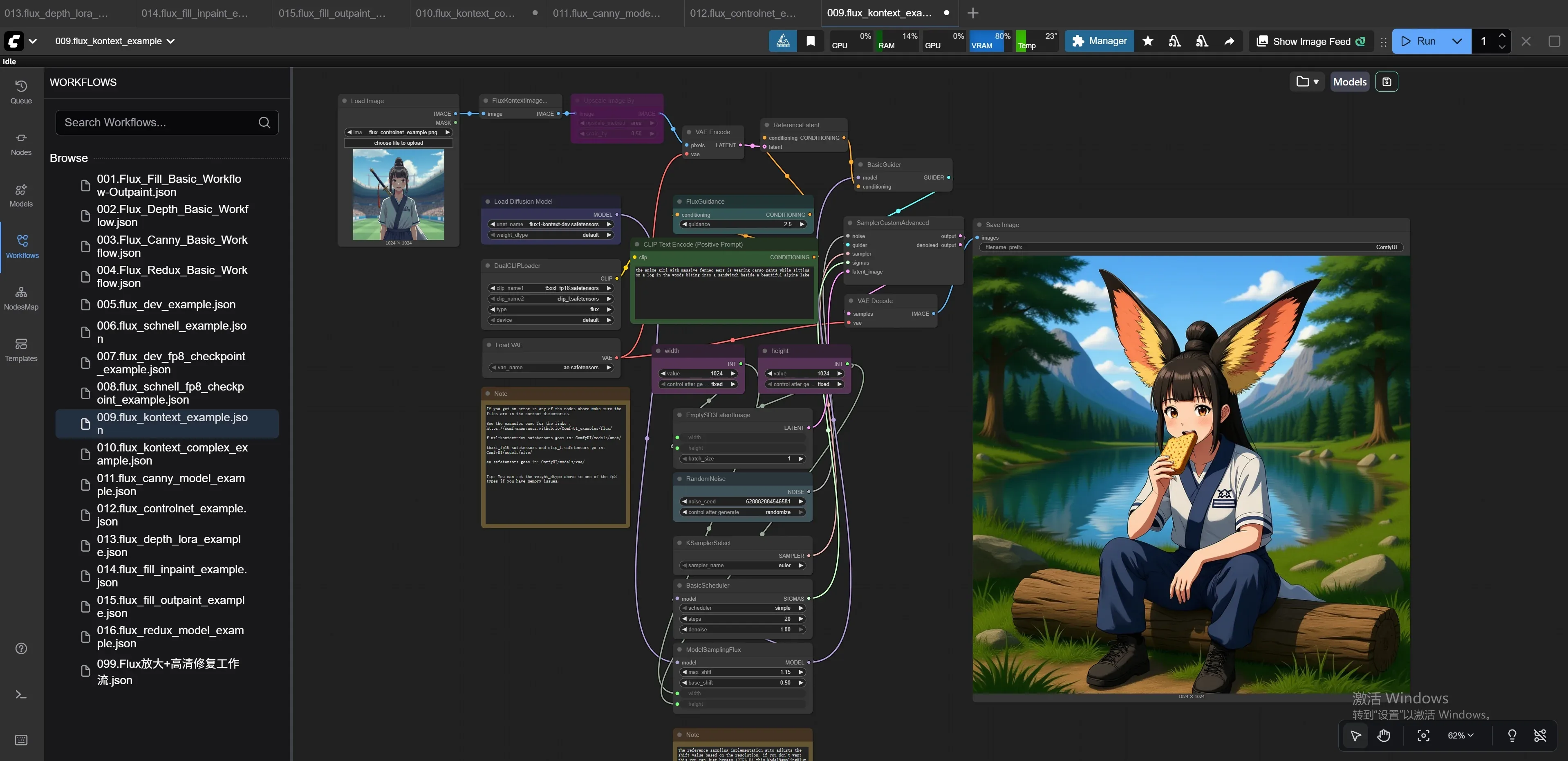
010.flux_kontext_complex_example
在Load Image节点上传一张照片,Prompt中输入提示词,运行。
运行效果: 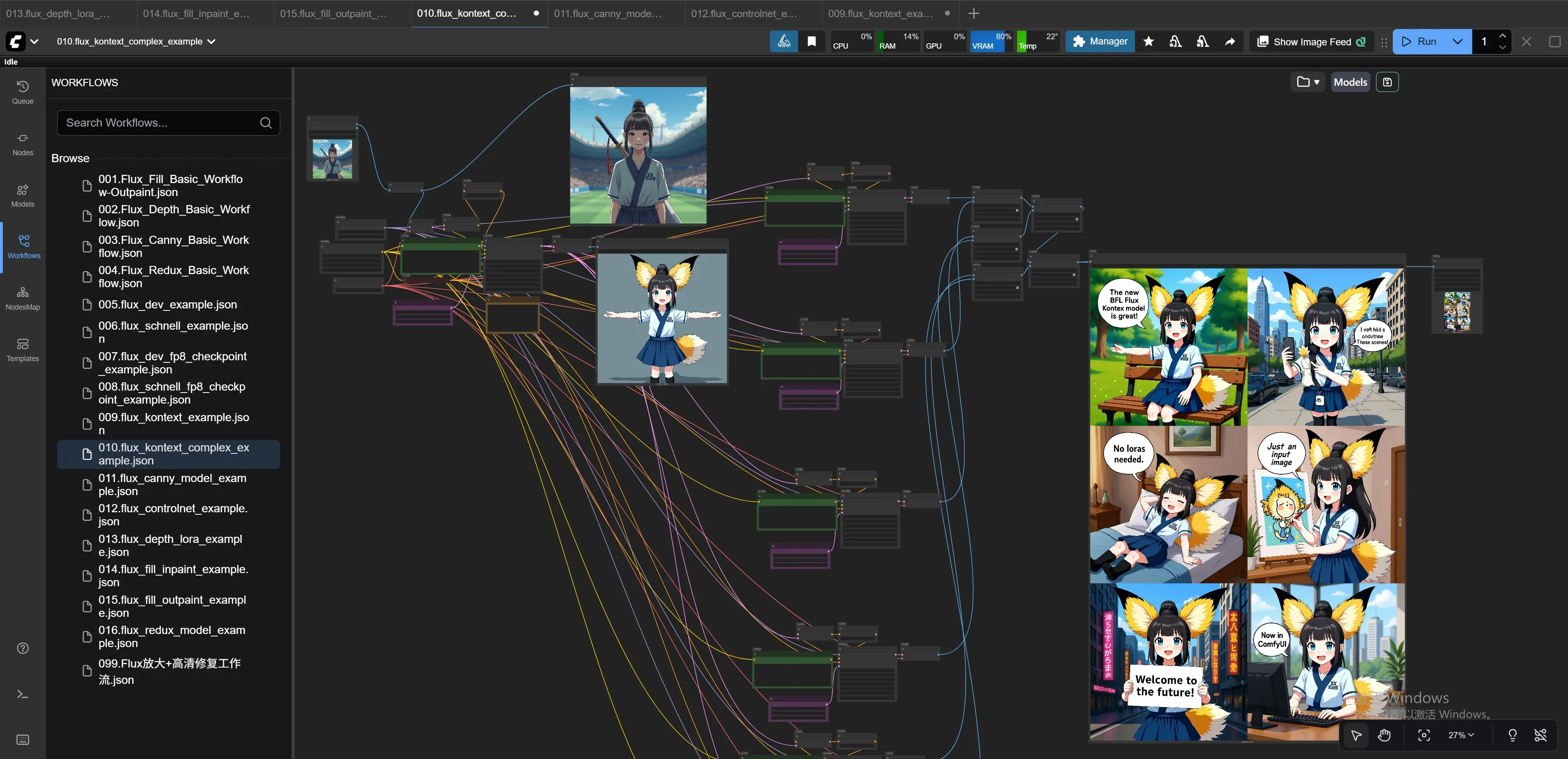
011.flux_canny_model_example
在Load Image节点上传一张照片,Prompt中输入提示词,运行。
运行效果: 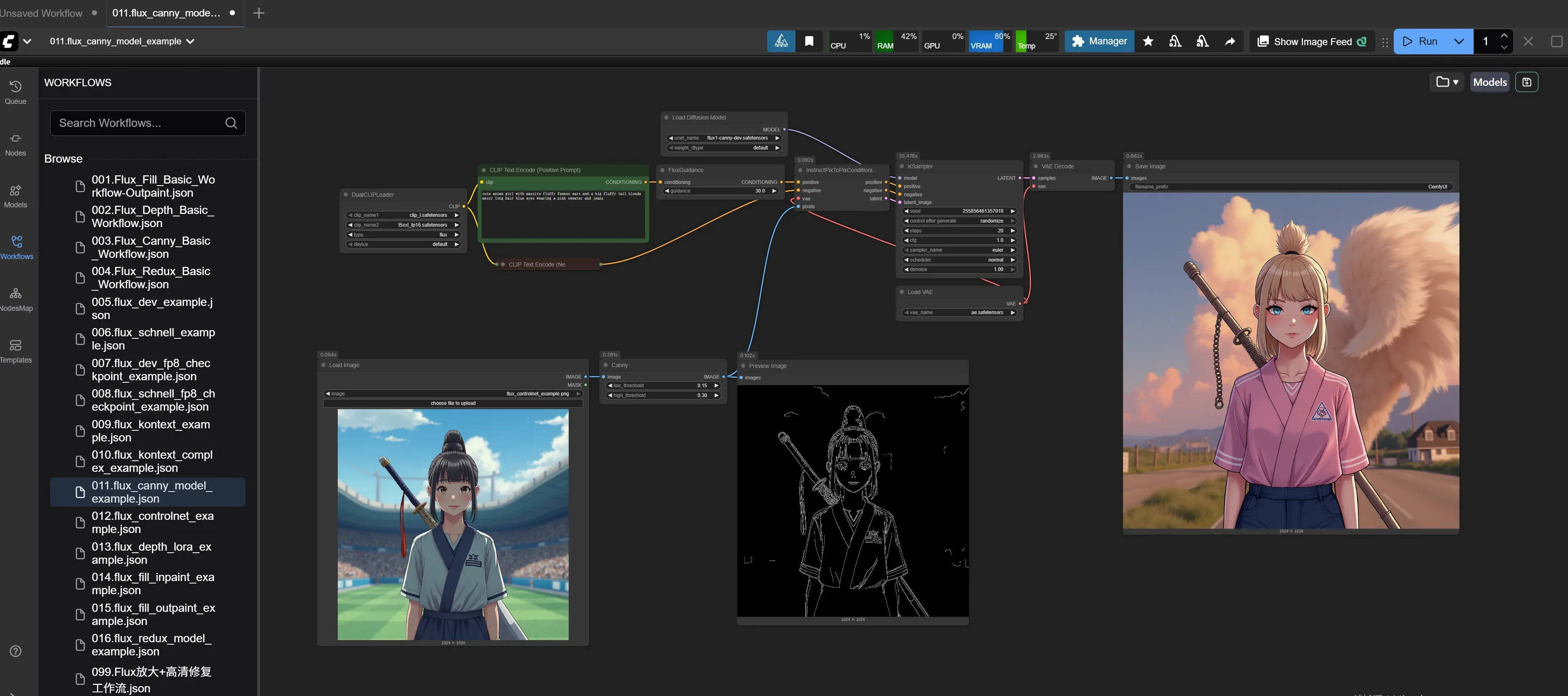
012.flux_controlnet_example
在Load Image节点上传一张照片,Prompt中输入提示词,运行。
运行效果: 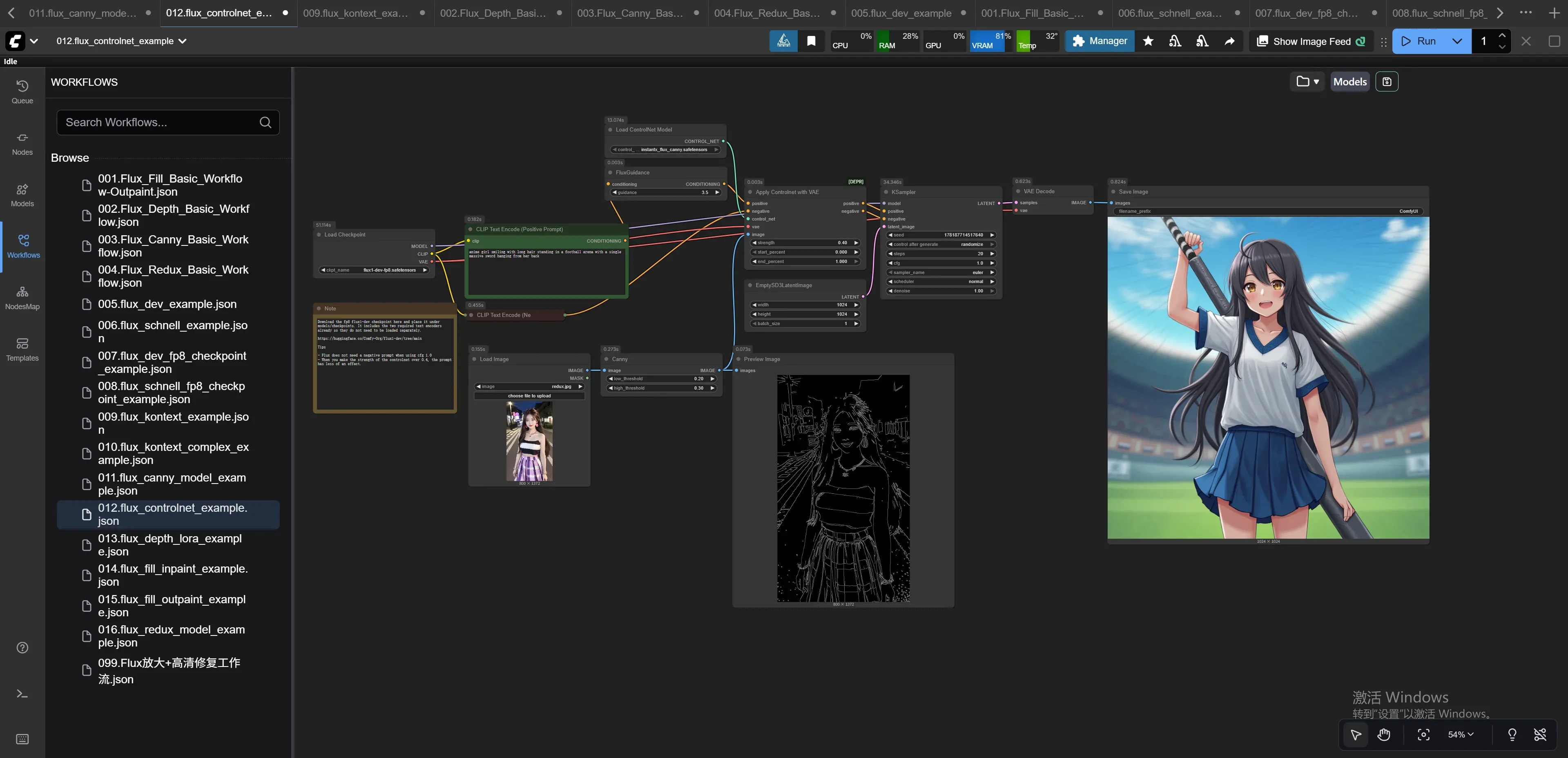
013.flux_depth_lora_example
在Load Image节点上传一张照片,Prompt中输入提示词,运行。
运行效果: 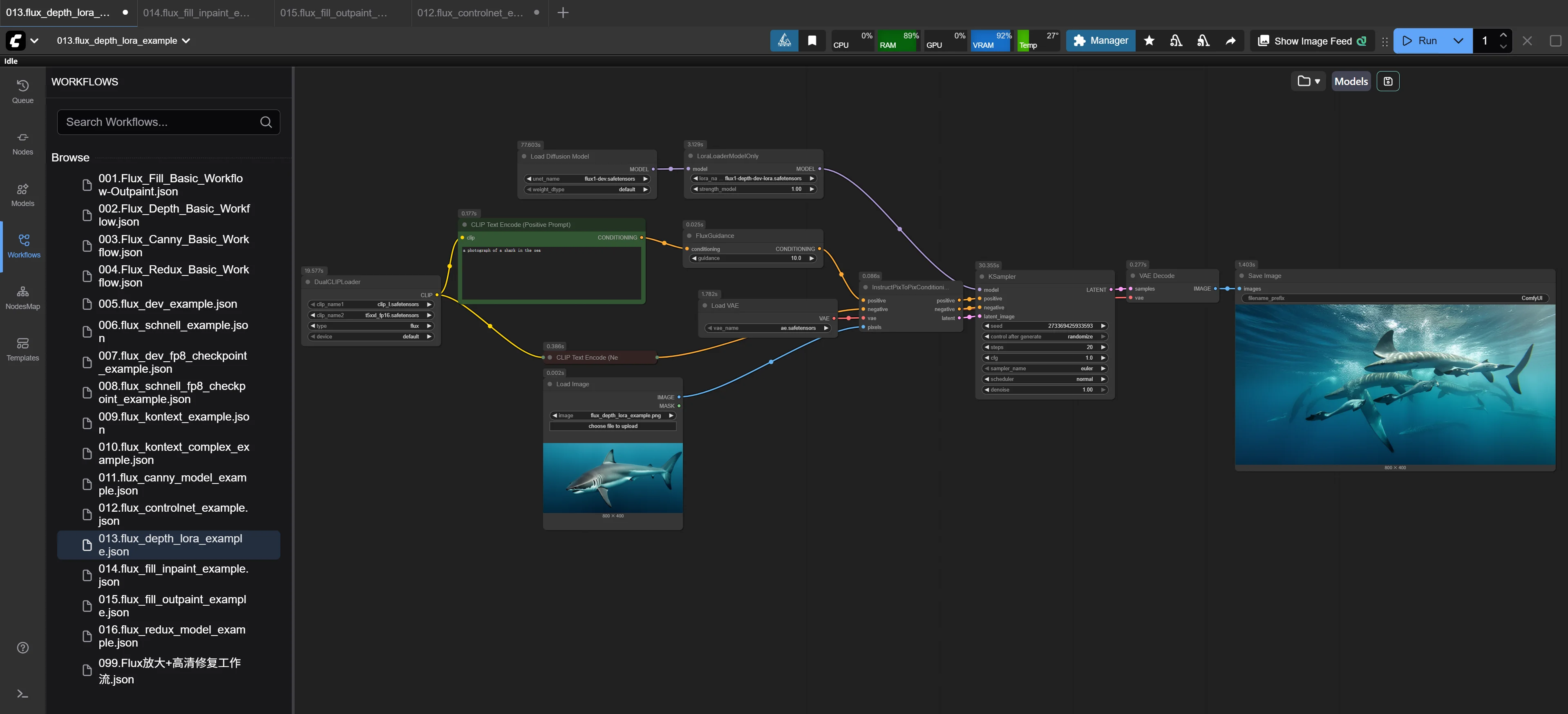
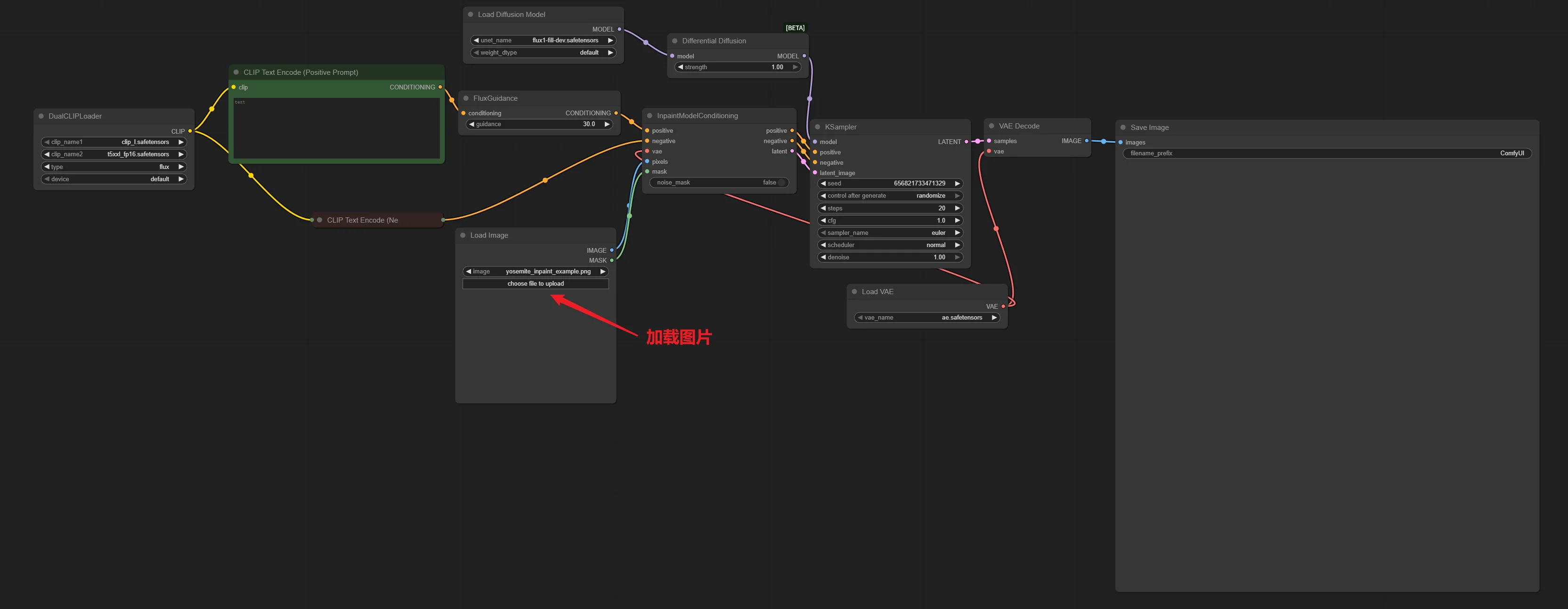
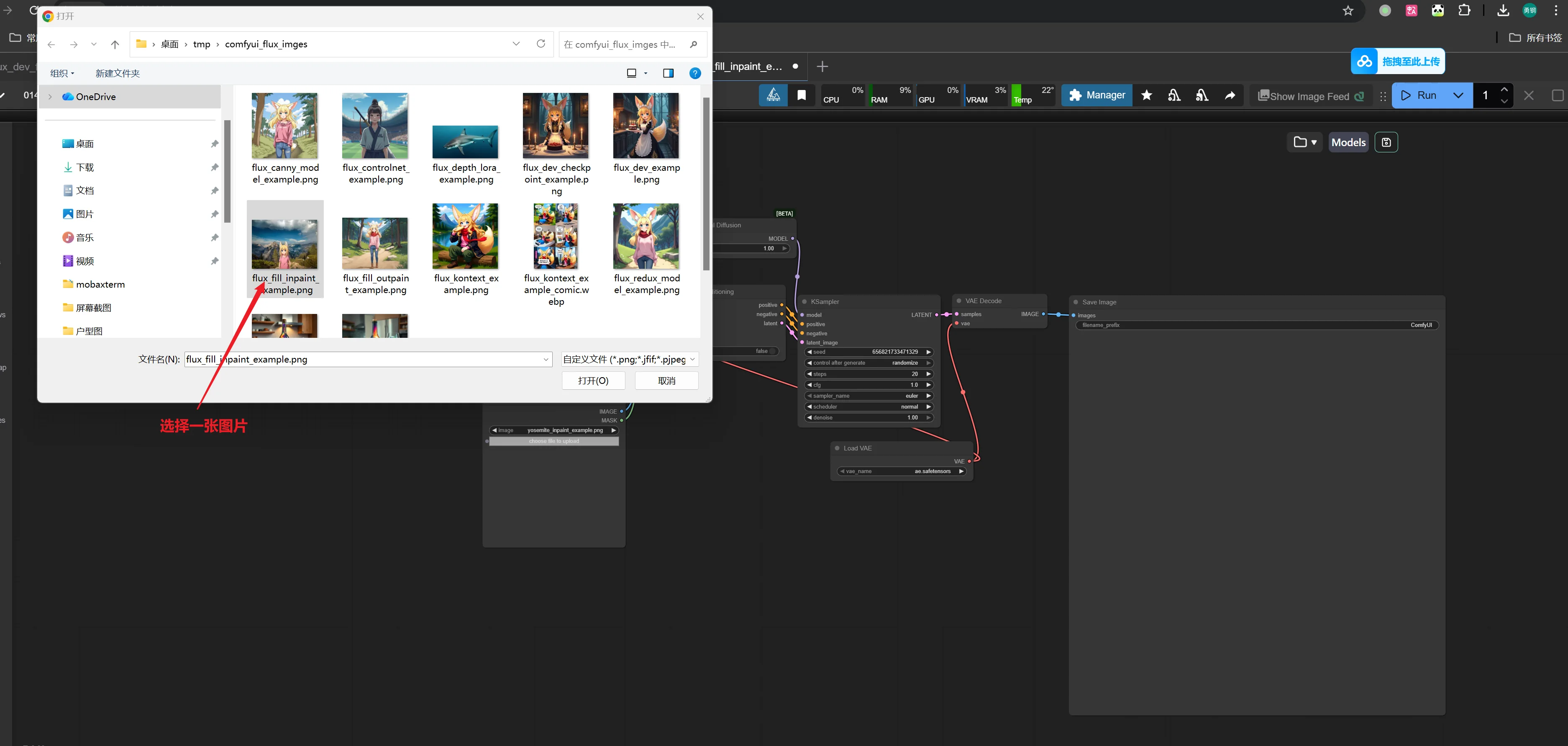
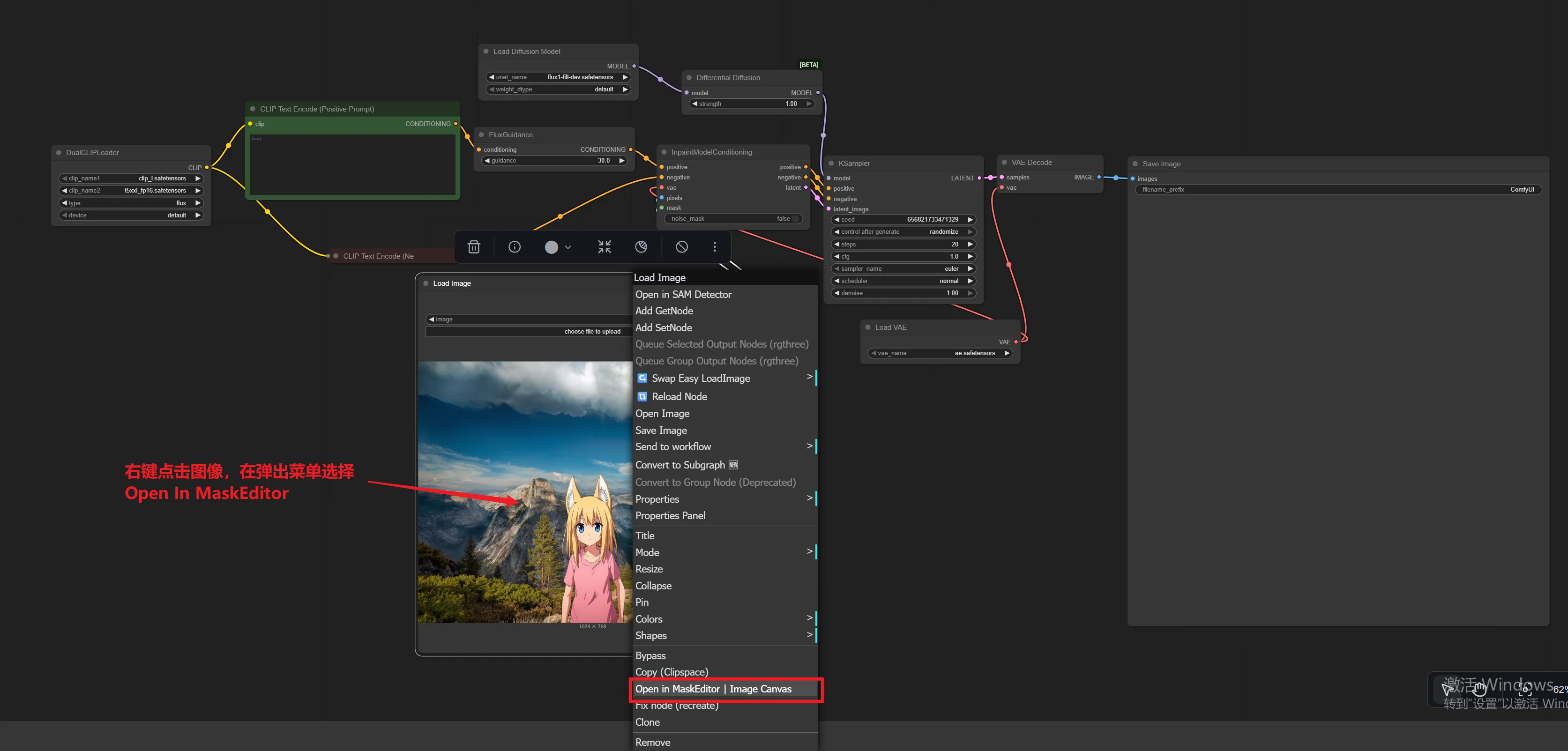
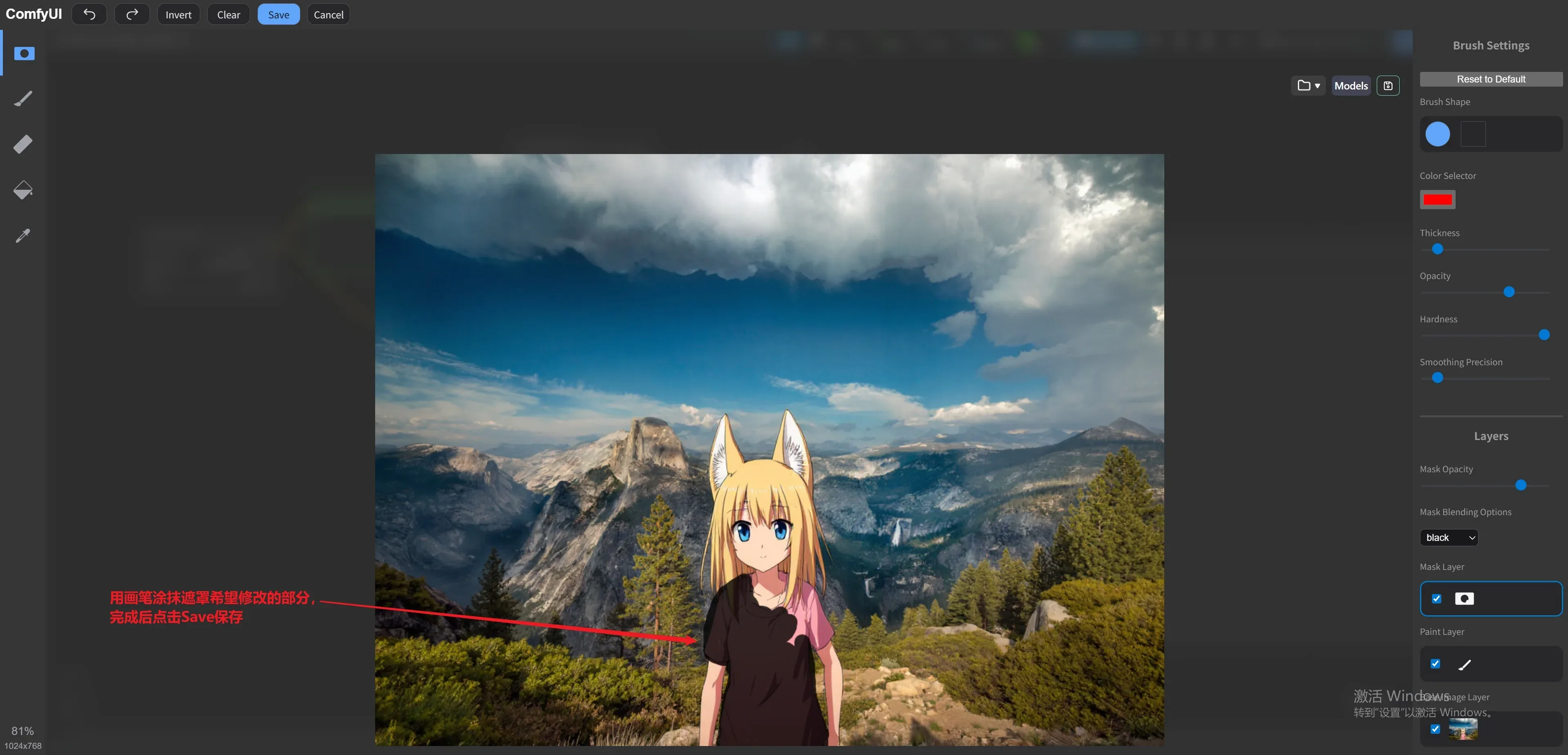
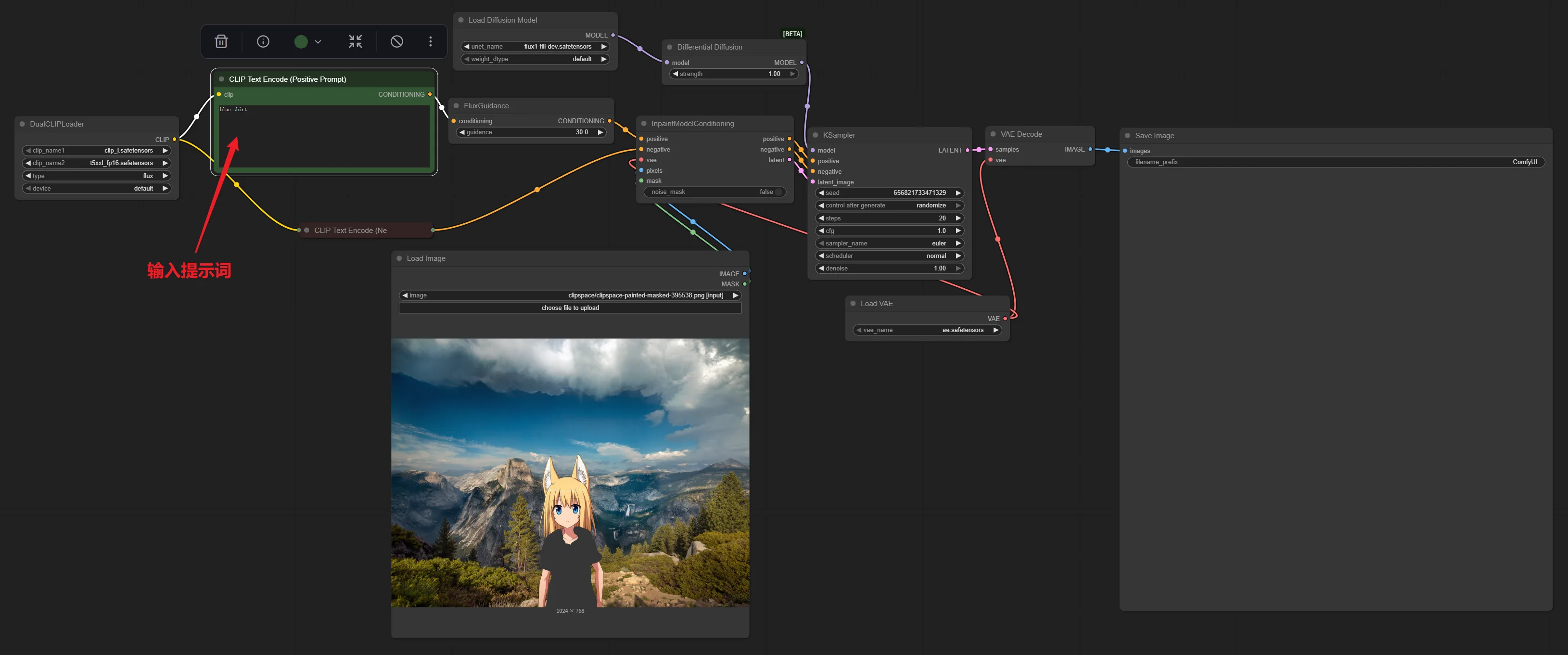
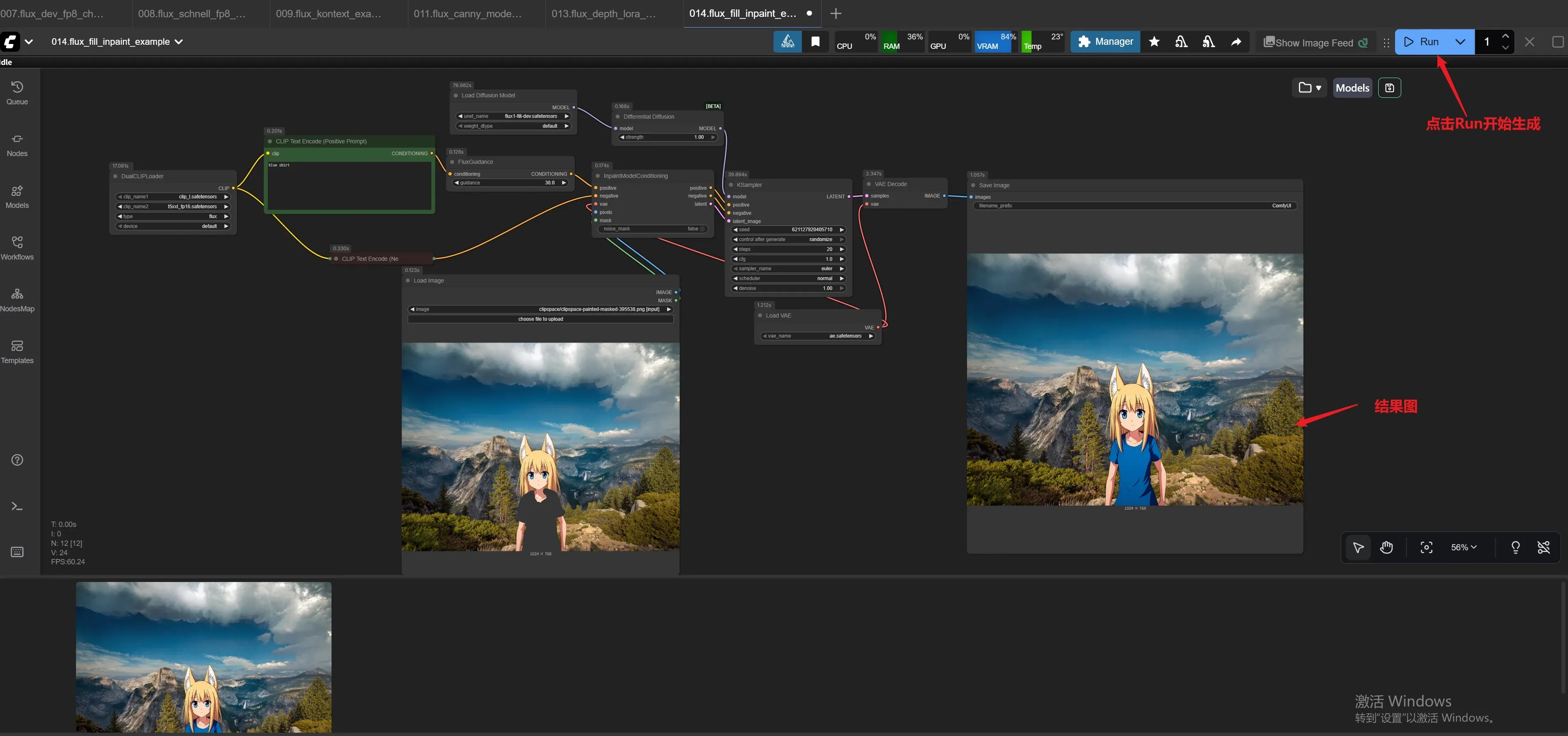
014.flux_fill_inpaint_example
使用flux1-fill-dev模型,实现局部重绘。
使用步骤:
015.flux_fill_outpaint_example
使用flux1-fill-dev模型,实现扩图。
在Load Image节点上传一张照片,Prompt中输入提示词,运行。
运行效果: 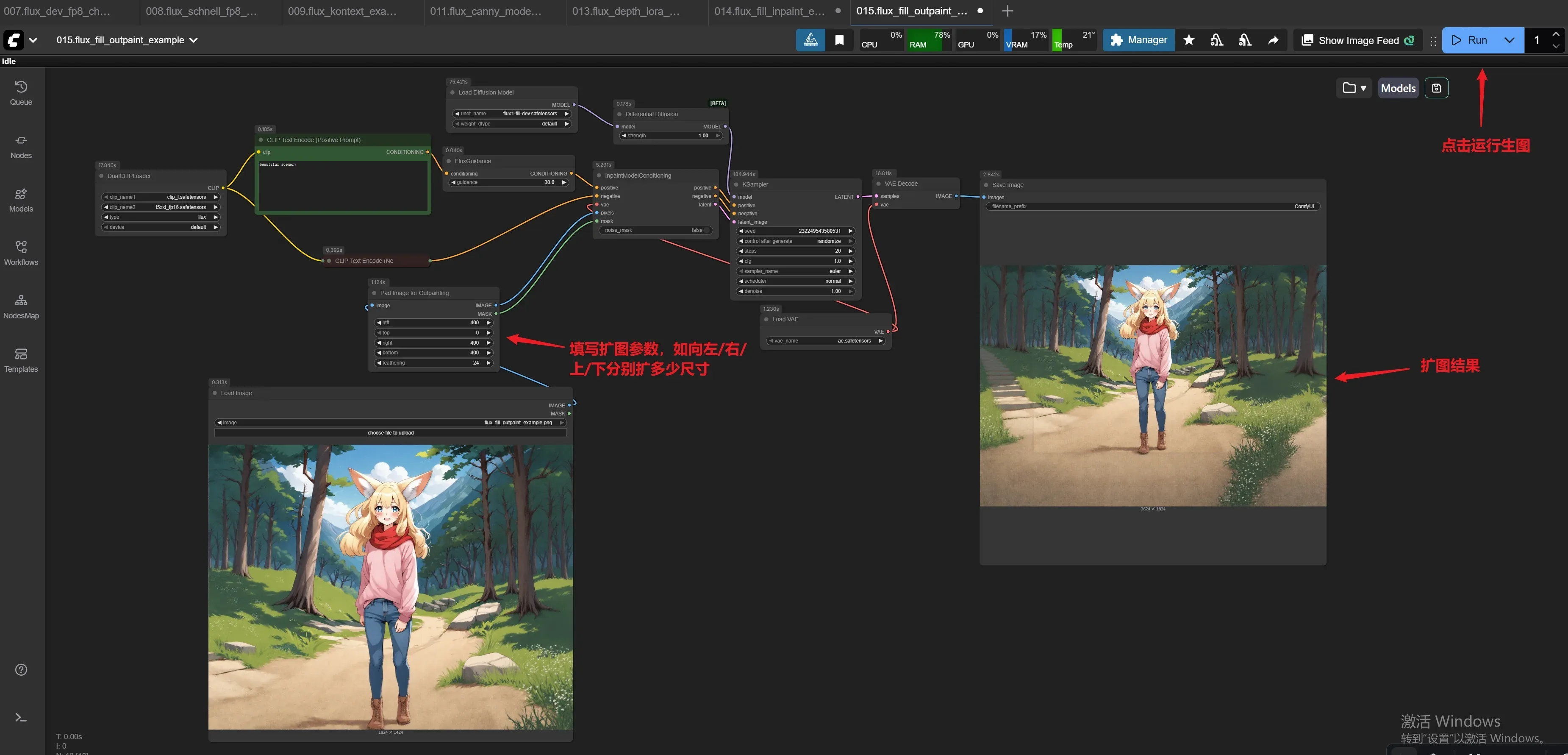
016.flux_redux_model_example
在Load Image节点上传一张照片,Prompt中输入提示词,运行。
运行效果: 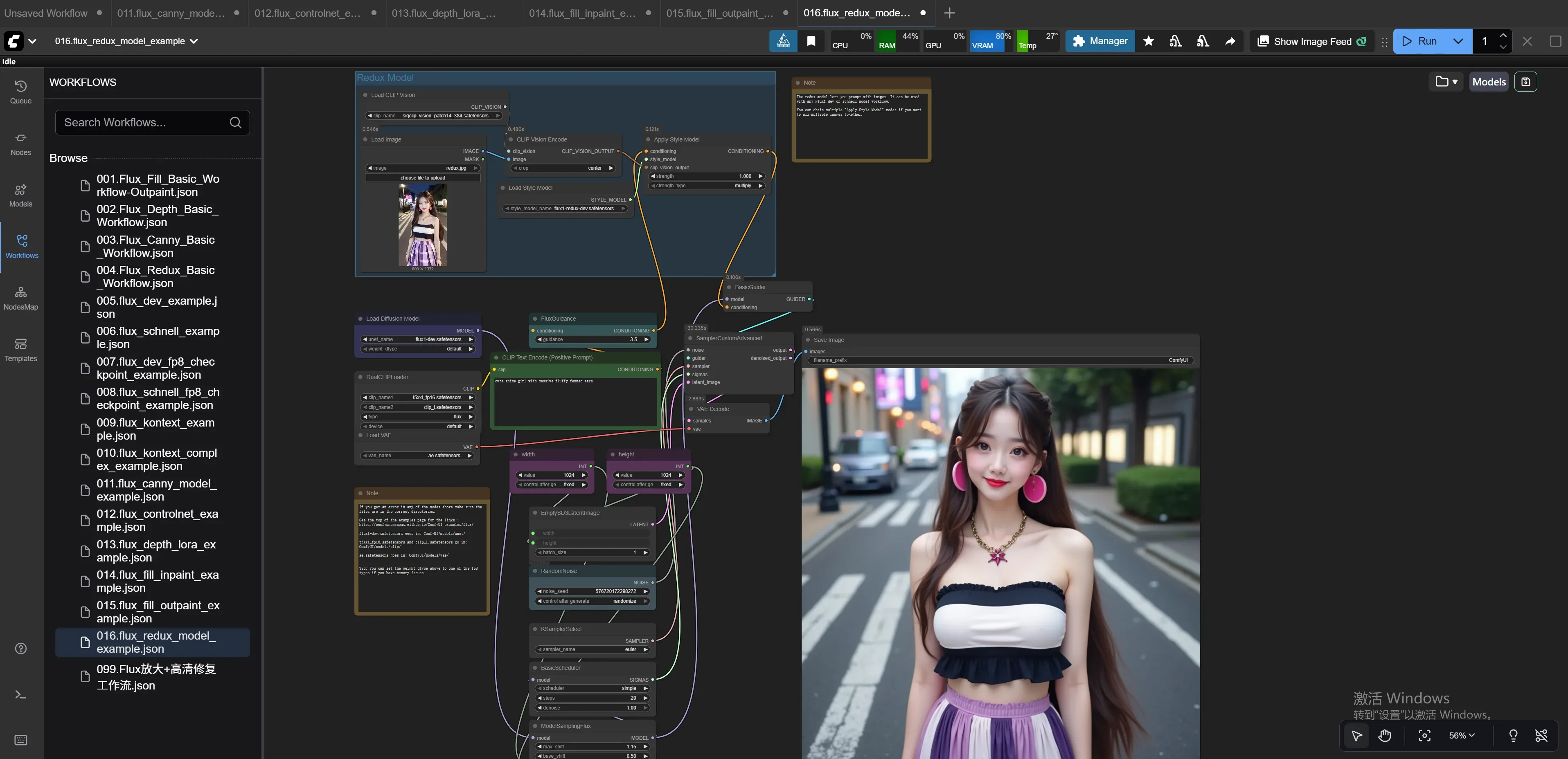
017.Flux放大+高清修复工作流
在Load Image节点上传一张模糊照片,运行。
运行效果: 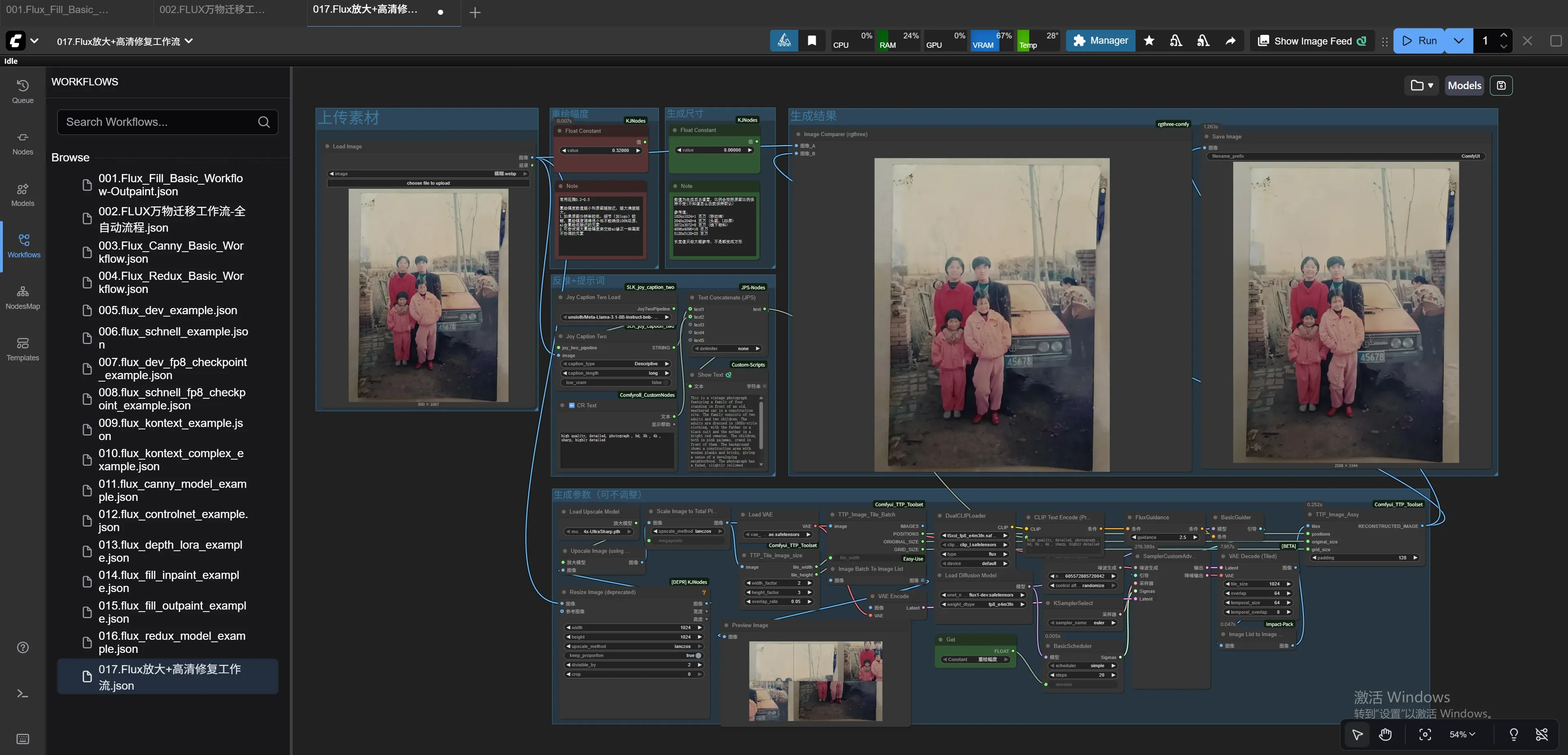
TIP
上传及使用过程产生的数据建议放到数据盘(/data 目录),数据盘支持扩容。